安装python解释器
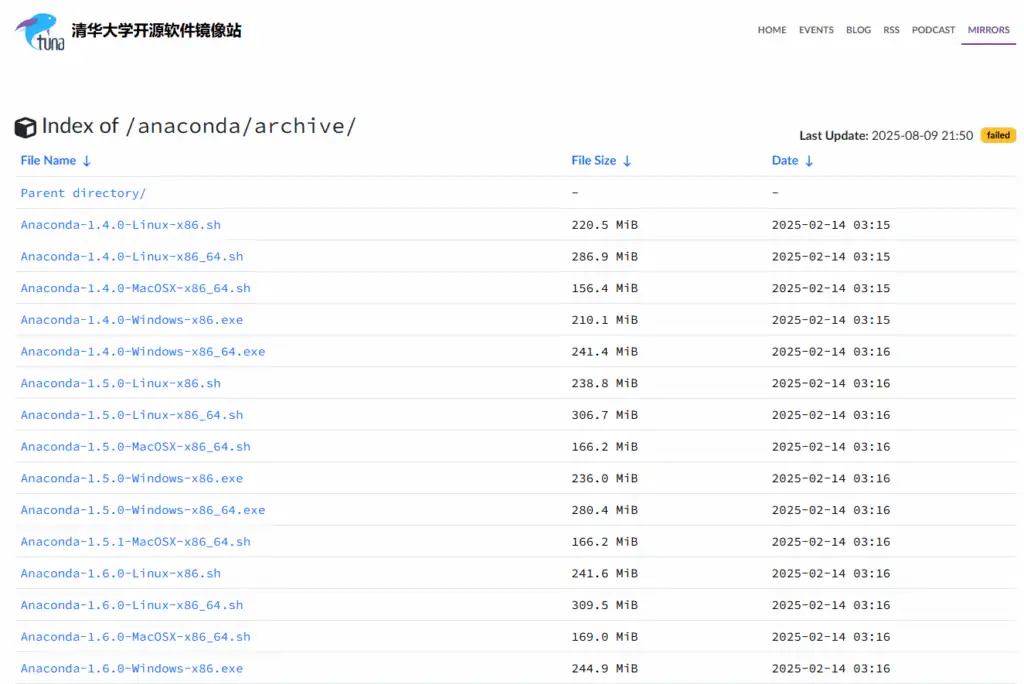
安装包 Anaconda3-2021.05 对应python 3.8.8版本(兼容win7的 最新的Anaconda安装包)
安装的时候,选择设置path路径。
下载地址:https://mirrors.tuna.tsinghua.edu.cn/anaconda/archive/
安装trae,安装的时候,注意选择,关联右键菜单。
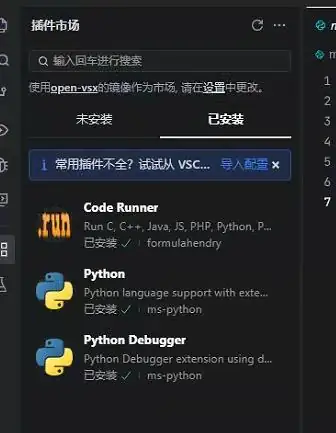
安装trae的如下三个插件,如下图:
- Code Runner
- Python
- Python Debugger
安装后有两个问题,需要设置解决
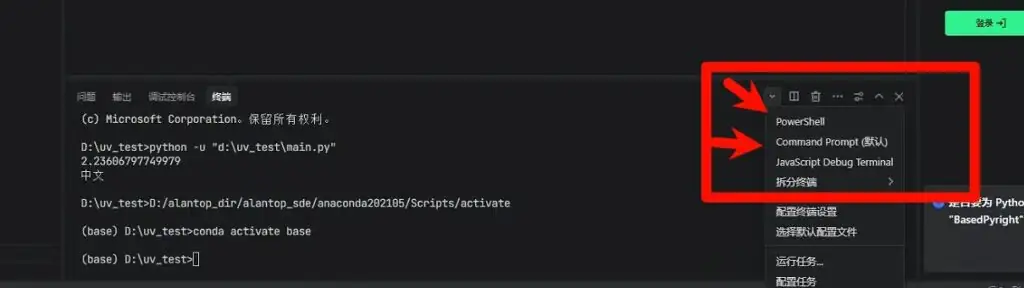
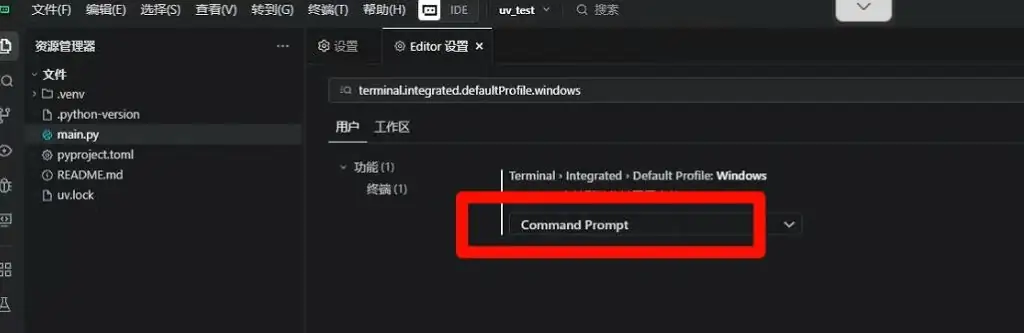
1. 默认输出终端是powershell,改为cmd。
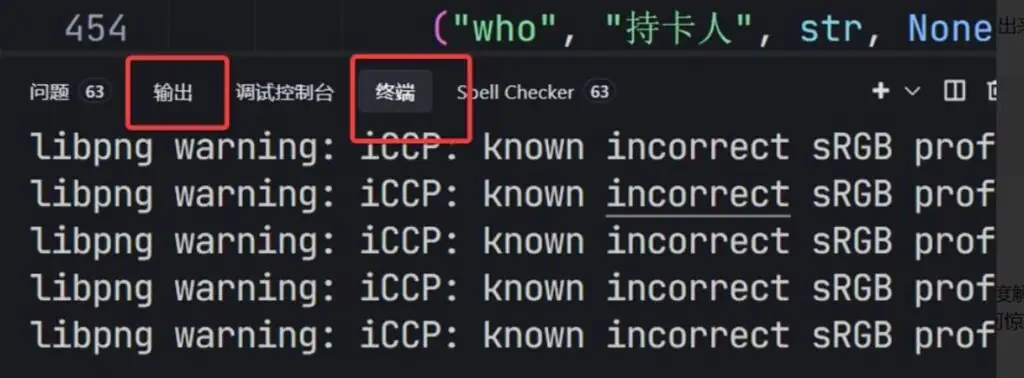
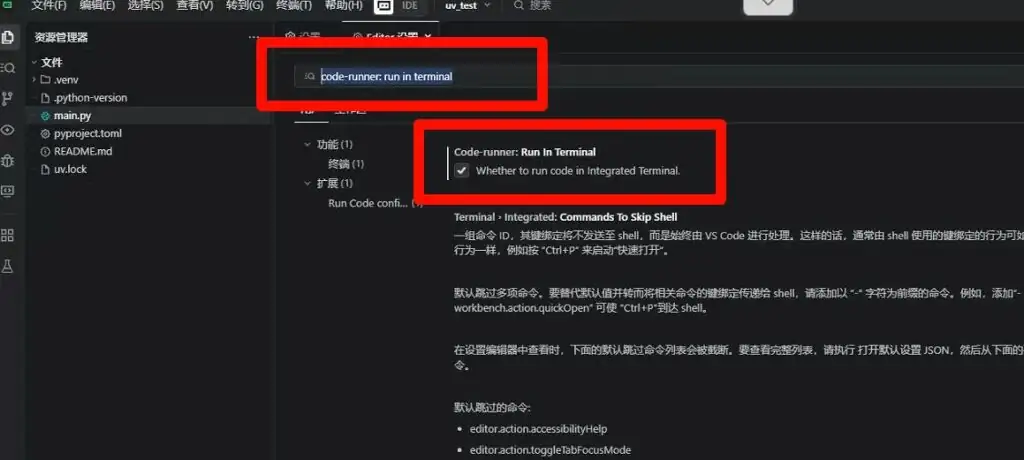
2. 默认运行结果是配置在 “输出” 标签,改为输出在“终端” 。
解决上面两个问题的修改对应的设置:
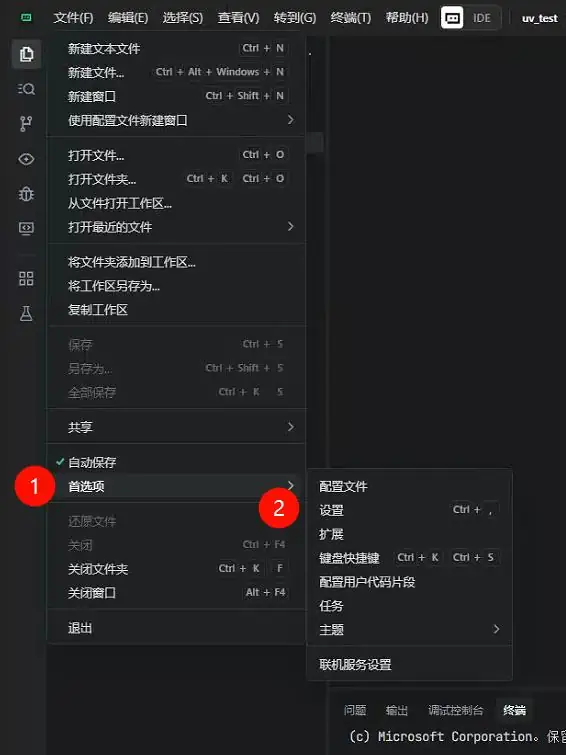
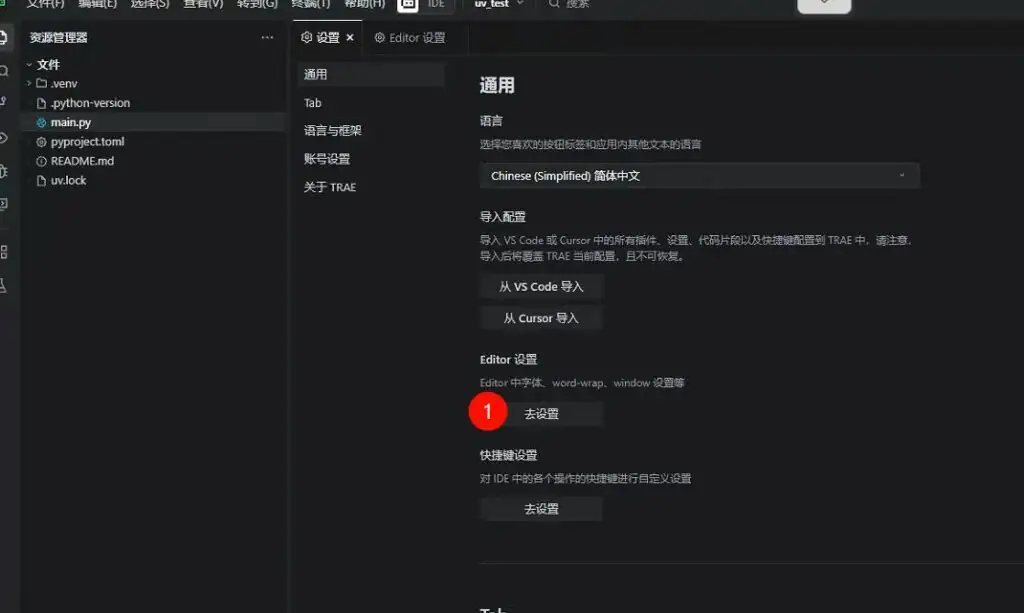
文件->首选项->配置->Editor设置->去设置
(解决第一个问题)查找
terminal.integrated.defaultProfile.windows,选项改为 Command Prompt
(解决第二个问题)查找 code-runner: run in terminal,在下面这句上打上勾。
Whether to run code in integrated terminal.
永久pip国内源安装源
查看源

当前用户的pip配置文件为 C:\Users${username}\pip\pip.ini
如下文件位置,文件名,文件内容:
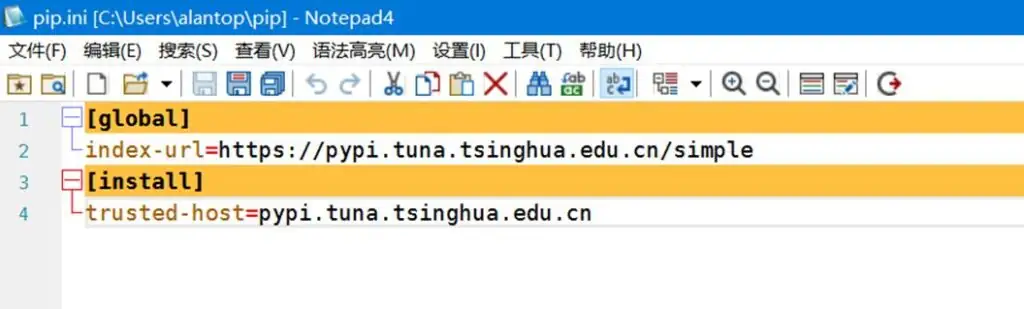
文件中的内容
[global]

index-url=https://pypi.tuna.tsinghua.edu.cn/simple

[install]

trusted-host=pypi.tuna.tsinghua.edu.cn
安装uv
pip install uv --index https://mirrors.tuna.tsinghua.edu.cn/pypi/web/simple设置uv的国内加速源,配置环境变量
变量名:UV_DEFAULT_INDEX
变量值:设置为你想要的镜像源地址,例如 https://pypi.tuna.tsinghua.edu.cn/simple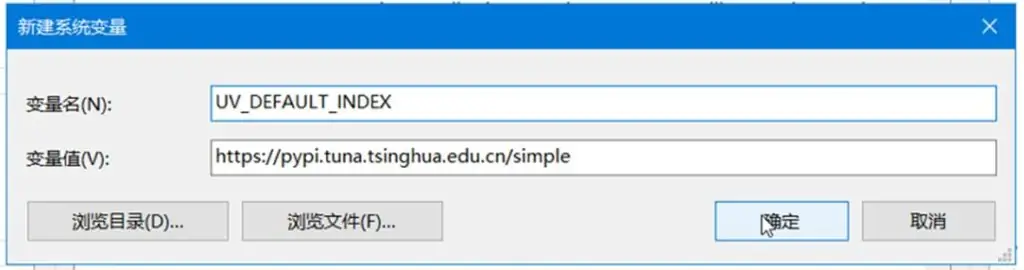
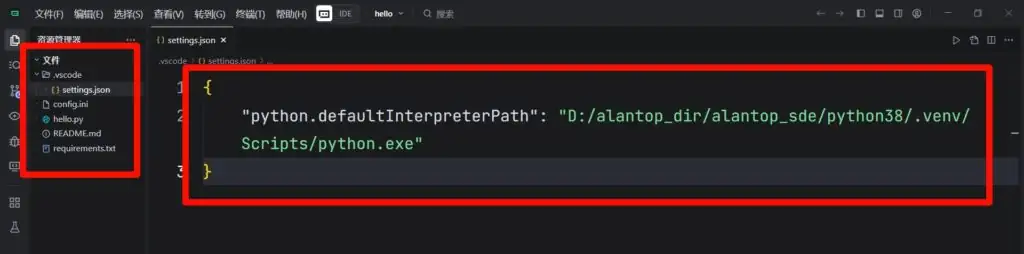
建立uv工程的时候,指定解释器的路径
配置工作区
工程目录下建立 .vscode/settings.json
{

    "python.defaultInterpreterPath": "D:/alantop_dir/alantop_sde/python38/.venv/Scripts/python.exe"

}
转载作品,原作者:alantop,文章来源:https://www.toutiao.com/article/7535817734429344256